















Top 7 Webflow Integrations to Supercharge Your Website's Performance and Conversions

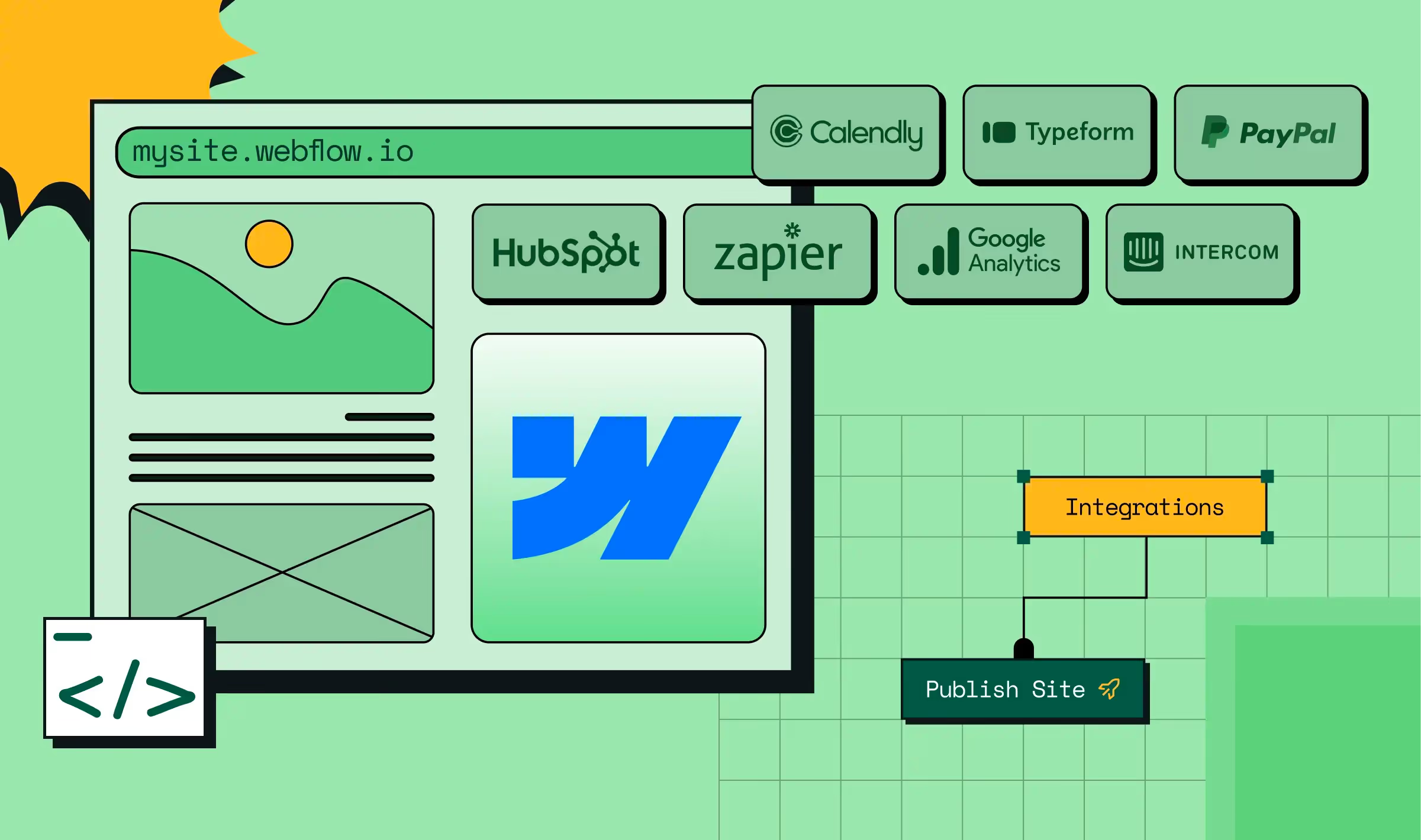

WebFlow integrations are essential to get the best out of your websites and maximize conversions. But with countless integrations in the market, resembling peas in a pod, it is not easy to find the right ones for your business.
As one of the premium WebFlow web development agencies that has spent knee-deep in client projects, we have tested more tools than we care to admit. And a few have earned a permanent spot in our workflow.
In this blog, we share this list of the top 7 Webflow integrations to supercharge your website's performance and conversions. But before we begin, let's get to the basics.
What are WebFlow Integrations?
WebFlow integrations are third-party tools you can connect your websites with to improve their performance, user experience and conversions. These tools enhance the capabilities of WebFlow websites by priming them for specific functions like generating leads, handling payments and managing workflows. You can integrate them through API or tools like Zapier.
What are the Benefits of WebFlow Integrations?
Here are the top 3 reasons why you should use WebFlow integrations:
1. To automate workflows
With WebFlow integrations, you can automate repetitive tasks involved in sales and marketing and focus on revenue-generating activities. For instance, lead management integrations let you automate every step of the conversion process from the moment a visitor lands on your website. This includes syncing contact data with CRMs, triggering Slack alerts for new leads and sending follow-up emails.
2. To scale your websites
WebFlow integrations are perfect for increasing the capabilities of your websites as your business grows without rebuilding them from scratch. It is an easier and cost-effective alternative to hiring developers to make your websites more enhanced. For instance, to automate the workflow in your websites, you can integrate Zapier instead of hiring backend developers to do it.
3. To improve user experience and conversions
By integrating the right set of tools for workflow automation, behavior analytics, payments and lead capture, you can make your websites more advanced without sacrificing speed. This leads to a faster website that delivers a smooth user experience, driving conversions and reducing bounce rates.
Top 7 Webflow Integrations to Supercharge Your Website's Performance and Conversions
Here are the top 7 WebFlow integrations the ThunderClap team swears by. Add these integrations to your WebFlow websites to ensure a seamless user experience and higher conversions.
1. Hubspot

Best For: Small, mid-market and enterprise-level brands looking to streamline lead and customer management.
Integration Difficulty Level: Hard
Hubspot is a CRM that offers a suite of tools and integrations for marketing, sales and customer service teams to function together. This means that by adding the Hubspot-WebFlow integration to your website, you can automate lead management and streamline your customer support.
For simple websites, the integration can be added through a tracking code. For more complex enterprise websites, you should either use a third-party tool like Zapier or natively integrate them via API.
Here are some Hubspot features and how they help you:
Hubspot Forms: Lets you add personalized forms with custom fields to websites for lead data collection. This data is then automatically added to your CRM to avoid duplicate entries and maintain a centralized lead database.
Lead Notifications: Alerts you through email or Slack whenever a new lead signs up. This helps your sales team take prompt action at the right time.
Behavioral Analytics: Tracks how users engage with your websites and gives you clarity on what's working and what's hurting user experience.
Lead Nurturing and Engagement: Lets you set up workflows to send personalized emails and follow-ups to leads based on their interaction and intent.
Customer Feedback: Offers a range of tools like NPS and surveys to collect user feedback and optimize your website for performance and conversions.
Shared Inbox: Has a centralized space to manage customer emails, support tickets and queries. This helps your customer success team collaborate better and offer prompt service.
2. Zapier

Best For: Small, mid-market and enterprise brands looking for ways to automate WebFlow tasks.
Integration Difficulty Level: Easy
Zapier is a no-code web automation tool that lets you connect your websites with over 1000s of third-party tools. It enables you to set up automated workflows called 'Zaps' by integrating two or more tools via WebFlow's API.
Integrating Zapier to a WebFlow website is easy and doesn't require much technical knowledge. However, you might need some technical know-how to set up Zaps with multiple steps and tools.
Here are some of the essential Zaps you can set up on your website using the Zapier-WebFlow integration:
WebFlow + LinkedIn Conversations: With this zap, a conversion event is sent to LinkedIn ads manager every time a lead gets captured through WebFlow forms. The ads manager uses this intel to optimize ad delivery, improving your chances of conversions.
WebFlow Forms + WebFlow CMS: With this zap, every form submission is automatically published as a new item on the website. This is a great option for review submission forms as each new review gets added as a new post to the review collections in real time.
Google Sheets + WebFlow CMS: Whenever a new row is added to a specific Google Sheet, its contents are automatically published to the assigned collections page. For instance, when you update a sheet with blog titles and content, it's published to your WebFlow blog collection.
Airtable + WebFlow CMS: Similar to the Google Sheets + WebFlow CMS zap, this automation tracks your Airtable bases and publishes content from new records directly to specified WebFlow collections.
3. Google Analytics

Best For: Small, mid-market and enterprise brands wanting to improve website conversions and user experience.
Integration Difficulty Level: Easy
Google Analytics (GA) is a free tool for tracking website engagement and priming your websites for better user experience and conversions. Integrating it into your WebFlow website lets you gain insights like the best-performing content, average time spent, and user drop-off points. With this data, you can double down on what works and fix issues that hurt conversions.
WebFlow's built-in GA integration is best for simple websites that only require basic analytics like page views and traffic sources.
If you want to track custom events like the number of clicks or form submissions, integrate GA by pasting Google Tag Manager code into WebFlow's custom code field. For enterprise websites needing full control over the GA, you can add the GA tracking script in the same field.
Here are some GA features and how they help you:
Traffic Monitoring: Gives you information about the traffic sources of website visitors.
Session Duration Tracking: Tracks how long a user stays on your website to gauge their conversion potential and uncover any friction affecting user experience.
Real-Time Analytics: To track live interaction during marketing campaigns or product launches.
Behavior Flow Visualization: Gives you a visual map of how users interact with your website to help you identify drop-off points.
Custom Event Tracking: To track specific interactions users make on the website, such as video plays, scrolls, file downloads, etc.
4. Intercom

Best For: Small, mid-market and enterprise brands looking for ways to enhance customer support.
Integration Difficulty Level: Moderate
Intercom is one of the good webflow integrations. It is a customer messaging platform offering various tools to help customer success teams deliver faster, reliable and personalized support. With the Intercom-WebFlow integration, you can qualify prospects with bots and manage customer queries from multiple channels in a unified inbox.
Intercom doesn't natively integrate with WebFlow and you'll need to use third-party tools like Zapier or Relay.app.
Here are some Intercom features and how they help you:
Fin AI Agent: Takes the load off your customer success team by answering FAQs for prospects. This gives more time for the team to focus on critical issues that require prompt action.
Omni-channel Support: Lets you manage queries from multiple channels like emails, phone, chat or SMS from your website.
Fin Copilot: Acts like a personal assistant to your agents by offering them instant advice on resolving customer queries. It also helps fast track agent training by providing training materials and past agent conversations.
AI Insights and Reporting: Helps customer success managers monitor and grade agent performance holistically and individually. It also helps you identify the most common topics and peak activity periods to better prepare.
Workflows: To automate tasks included in the customer success workflow like routing, closing or snoozing conversations.
{{specficBlog}}
5. Calendly

Best For: Small, mid-market and enterprise brands looking for ways to increase the number of meetings booked through websites.
Integration Difficulty Level: Easy
Calendly is a meeting scheduler that lets prospects book meetings with you directly from your WebFlow website, based on your availability. Adding the Calendly-WebFlow integration lets you skip the need for back-and-forth scheduling emails, increasing the chances of getting more meetings from high-intent leads.
You can embed Calendly in WebFlow as a direct link, inline embed, popup widget or text. In addition, you can embed it through Zapier if you want to build Calendly-based workflows. Inline embeds and popup widgets are best for landing and pricing pages, while popup texts are ideal for blog posts and case studies.
Here are some Calendly features and how they help you:
Round-Robin Scheduling: Ensures all reps have an equal number of meetings by reassigning bookings based on individual availability. This helps reduce response times, helping you engage with prospects and customers at the right time.
Custom Branding: Lets you customize the calendar to match the look and feel of your website. This makes the website appear more credible and reduces friction associated with booking meetings.
Time Zone Detection: Detects time zones of your prospects and adjusts your availability accordingly to avoid time zone errors.
Event Types: Lets you set different types of meetings with varied durations and agendas. This means you can set up 1:1 and group meetings with multiple attendees based on your needs.
Custom Forms: Allows you to add custom forms to the meeting scheduler to collect specific information from your prospects.
6. Typeform

Best For: Small, mid-market and enterprise brands looking for ways to collect website user feedback seamlessly.
Integration Difficulty Level: Easy
Typeform is a user feedback tool that lets you add interactive, personalized forms, surveys and quizzes to your websites. Adding it to your WebFlow websites helps you collect user feedback without affecting the user experience.
WebFlow offers a Typeform plugin with its CMS and enterprise plans but comes with basic features. For advanced features and setting up workflows, you can integrate it directly via embed codes or Zapier.
Here are some Typeform features and how they help you:
AI Form Translator: Translates forms into over 25 languages to cater to a global audience.
AI Brand Kit: Helps you customize your forms to match your brand's colors, logos and typography. This helps your forms or pop ups appear like an extension of your website, improving user experience.
Real-time Notifications: Notifies you via Slack or email whenever someone submits a form. This helps your team take prompt action based on the responses.
Clarify with AI: Helps you gain clarity on open-ended responses from users through tailored and specific follow-ups.
Real-time Analytics and Live Dashboard: Tracks the conversion rates of forms in real-time so you can optimize them for better performance.
Embedded Forms: Offers multiple placement options like inline, popups or slide-in to match the website layout and avoid friction.
7. Paypal

Best For: Small, mid-market and enterprise e-commerce brands looking for secure ways to accept payments on their websites.
Integration Difficulty Level: Moderate
Paypal is an intermediary payment platform that lets you make global transactions without the help of a traditional merchant account. Adding Paypal integration to WebFlow websites builds their credibility owing to the advanced security features it offers, such as seller and buyer protection and SSL encryption.
The easiest way to integrate Paypal to your website is using the Paypal Pay button. However, if you want to control the payment experience, integrating it via WebFlow CMS or API is a great option. For setting up automations, you can embed it via Zapier.
Here are some Paypal features and how they help you:
Multi-currency Support: Supports over 100 currencies, allowing you to conduct global transactions in a hassle-free manner.
Recurring Bills: Lets you set up recurring payments to ensure continuous billing without any hiccups.
Fraud Protection: Offers seller and buyer protection to safeguard them from risks involved in global transactions like chargebacks or currency exchange fluctuations.
Reporting and Analytics: Gives insights on cash flow and trends so you can make informed marketing and sales decisions.
Buy Now, Pay Later Options: Lets clients purchase from you without the pressure of paying the full amount upfront. This is a great option for enterprise clients looking for flexible ways to buy high-value products.
{{ctaBlock}}
Closing Thoughts
Choosing the right set of tools impacts your website performance and conversion. Use our list as a guiding star to choose the best WebFlow integrations that match your needs. And if you are looking for a WebFlow website development agency to help you implement them, we are just a call away.
As a Webflow enterprise partner and one of India's leading website design and development agencies with awards like Webby and CSS under our belt, we are equipped with the right skill set and tools to transform your website into a growth engine.



.webp)
Browse Similar Articles





Leading 5 SaaS Branding Agencies in Florida (That Actually Understand SaaS Growth)

.svg)

How to Turn Your B2B Website into a Self-Serve Growth Engine? (PLG Ready in 2026)


9-Step Website Copy Audit Checklist to Improve Conversions (Examples from Top B2B Brands)

.webp)

How to Choose the Right Fintech Web Development Company for Your Business
Top B2B Website Design Principles That Turn Visitors into Qualified Leads
%20Audit%20That%20Actually%20Improves%20Revenue.webp)
How to Do a Conversion Rate Optimization (CRO) Audit That Actually Improves Revenue
Web Design Agency vs. Freelancer vs. In-House: What Actually Works in 2026

5 CRO Agencies in London and How to Choose the Best CRO Agency for Your Business

The Ultimate Fintech B2B Positioning Guide for 2026 (That Actually Drives Conversions)
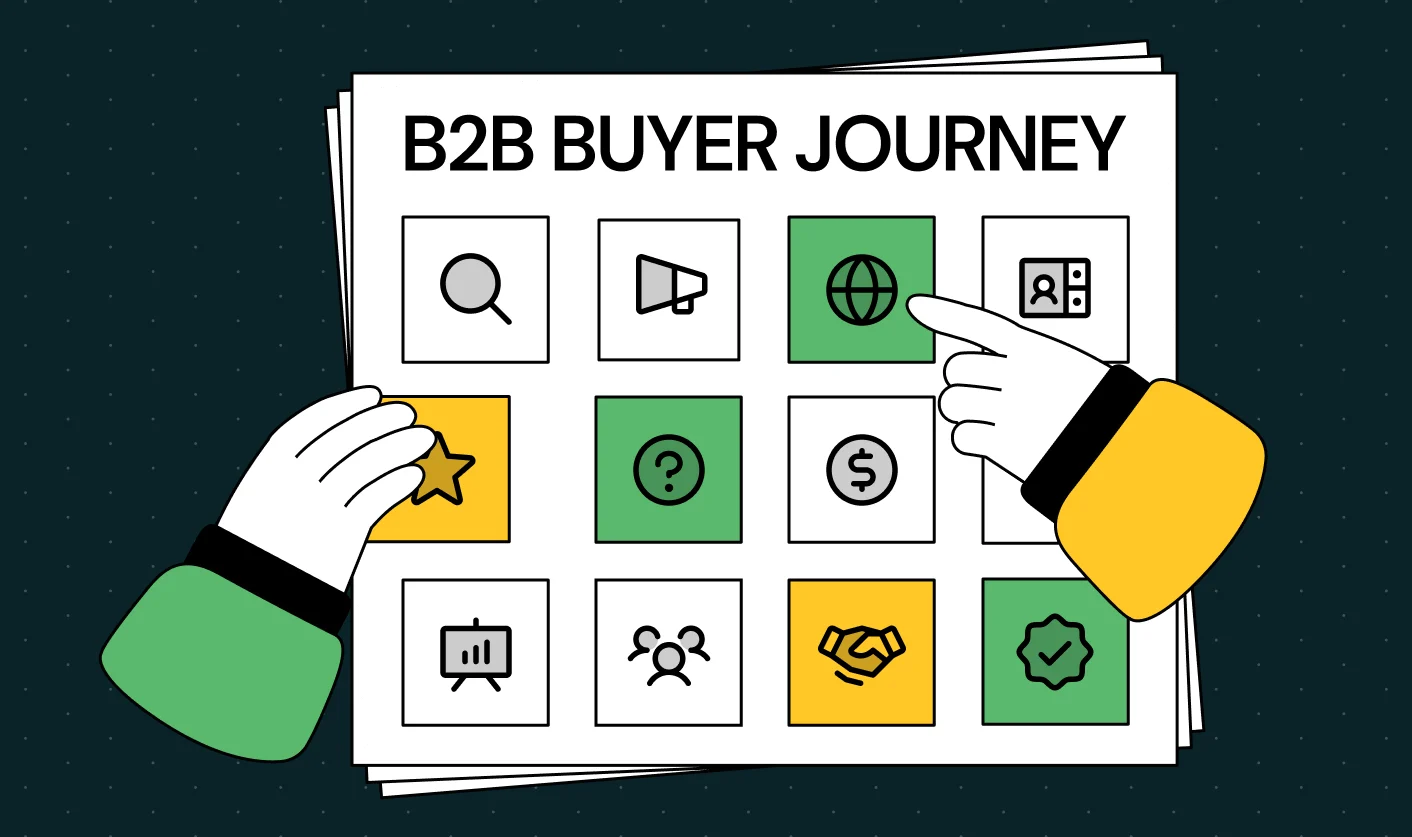
Mapping the B2B Buyer Journey to Improve Conversions Across Every Touchpoint
.webp)
7 Best Website Maintenance Companies in India for Growth-Led B2B Teams (2026)

.webp)
8 Best Healthcare Website Design Agencies for HIPAA-Compliant Sites in 2026


How to Find the Best Web Design Company in Houston, Texas for B2B Brands (6 Best Picks)
Positioning That Wins: How to Make Complex B2B Products Clear and Compelling
The Step-by-Step Website Redesign Process B2B Teams Use to Increase Conversions (Without Killing SEO and Pipeline)

7 Best Video Production Agencies for SaaS Product Walkthroughs and Feature Videos

How to Choose the Best B2B Website Maintenance Company: 9 Questions to Ask Before You Hire One



How to Choose a Web Design Company in San Francisco in 2026 (with Examples)

10 Best Web Design Companies in Florida in 2026 and How to Choose the Right One

How to Use Brand Storytelling on Your Website to Close More B2B Deals and Build Buyer Trust

SaaS CRO Best Practices: What High-Growth Brands Do Differently to Win Conversions

How a Rebranding Agency Can Redefine Your B2B SaaS Identity and Boost Pipeline
B2B Marketing Trends in 2026 That Directly Influence Pipeline and Revenue

Top 7 Video Marketing Agencies Driving B2B SaaS Brand Awareness in 2026

Why Partnering with a B2B Brand Positioning Agency Accelerates Market Differentiation

The Complete Website Redesign Checklist for B2B SaaS Teams Ready to Scale
.avif)
9 Best Webflow Development Agencies in India for 2026 (In-Depth Review)

10 Product Marketing Companies Powering the Fastest-Growing SaaS Brands in 2026
Website Copywriting Services vs In-House: What's Right for Your Business?

How to Choose a Marketing Agency That Understands B2B SaaS Growth Metrics


How to Choose a Video Marketing Agency That Understands B2B Storytelling

Outsourcing Web Design: Cost-Benefit Analysis for Mid-Market & Enterprise Brands

From Leads to Lifetime Value: How Growth Marketing Agencies Scale SaaS Revenue
Build a B2B Website Strategy That Aligns with Sales and Marketing Goals
Webflow vs WordPress: Which Platform Is Better for Your Business Website in 2026?
Fintech Web Design That Builds Trust: 8 UX Principles Every Fintech Site Needs


Optimizing for Intent: How B2B Website Messaging and UX Changes Help Capture Top-Funnel Buyers



12 Best B2B Web Development Agencies in the US to Build Scalable Websites

From Audit to Action: 8-Step Process to Optimize Your B2B Website Strategy for 2026 Buyers
How to Design a High-Converting Landing Page from Scratch (2026 Edition)
From Click to Customer: Proven Landing Page Conversion Optimization Techniques

How to Write Website Copy That Converts: A Step-by-Step Guide for 2026

How to Optimize a Landing Page for Maximum ROI: A Step-by-Step Breakdown


AI Landing Pages That Convert: 7 Design Principles Every AI Platform Should Follow
From Traffic to Pipeline: B2B Website Growth Strategy for Scaling Teams




Interested in seeing what we can do for your website?



.webp)
